
Download Pandas Make – AI‑Powered Logo Creator, Free Trial, Secure Design Tool
Introduction
Pandas Make enters the crowded market of logo‑creation tools with a promise that feels almost too good to be true: generate a polished, brand‑ready logo in seconds, without hiring a designer or mastering complex vector software. In an era where startups need to move quickly and marketers are constantly testing new visual identities, a fast, affordable, and reliable solution can make the difference between a brand that looks professional and one that appears amateurish. This AI‑driven platform leverages a massive dataset of existing logos, design principles, and industry‑specific cues to produce concepts that are both aesthetically appealing and contextually relevant.
The service is built as a web‑based SaaS application, which means users can start creating from any modern browser—whether they’re on a Windows desktop in a co‑working space, a macOS laptop at a coffee shop, or an Android tablet on the go. Pandas Make also emphasizes security: all projects are stored in an encrypted cloud account, and users retain full commercial ownership of the final design, eliminating hidden royalty fees that often plague “free” design services. While the core idea is simple, the execution combines several sophisticated features—real‑time editing, multi‑format export, brand‑kit generation, and tiered pricing—that together create a comprehensive design workflow.
This introduction will set the stage for a deeper dive into how Pandas Make works, what you can expect from its feature set, and whether it lives up to the hype for entrepreneurs, freelancers, and small‑business owners alike.
Overview & Key Features
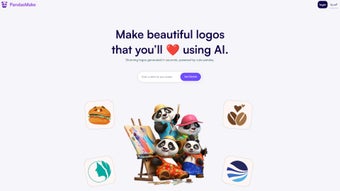
Pandas Make is a cloud‑based, AI‑driven logo design platform that transforms a brief text description into a full‑featured visual identity in seconds. Users start by entering brand details—name, tagline, industry, color preferences, and style adjectives—then the AI engine produces more than 20 distinct logo concepts. Each concept can be refined in a drag‑and‑drop editor that supports font swaps, icon replacement, color tweaks, and layout adjustments. Once satisfied, the final files are delivered with full commercial ownership, allowing unrestricted use across websites, print, merchandise, and more. The platform also offers premium add‑ons such as vector export, brand‑style guides, and priority support, making it a scalable solution for growing businesses.
- AI‑Generated Concepts: Instantly receive 20+ unique logo ideas based on a short brand brief.
- Three‑Step Workflow: Describe, select, customize—no steep learning curve.
- Full Ownership Rights: Commercial usage without additional royalty fees.
- Real‑Time Editing: Adjust typography, color palettes, and layout on an intuitive canvas.
- Multi‑Format Export: PNG, SVG, PDF, and high‑resolution files for both web and print.
- Brand Kit Generator: Optional style guide with color codes, font families, and usage rules.
- Cross‑Device Access: Web‑based, works on Windows, macOS, Linux, iOS, and Android browsers.
- Secure Cloud Storage: Encrypted project saving and easy sharing.
- Scalable Pricing: Free trial for three concepts, then tiered plans for unlimited access.
- Feedback Loop: Rate generated concepts to help the AI improve future suggestions.
Beyond the headline features, Pandas Make delivers hidden advantages that enhance its value proposition. The AI model has been trained on millions of existing logos, ensuring that even niche markets receive relevant visual cues and industry‑specific symbolism. Export pipelines automatically optimise files for web (72 dpi) and print (300 dpi), sparing users the hassle of manual resizing.
Because the service runs entirely in the browser, there’s no need to download heavy software, which is ideal for teams that use shared or low‑spec computers. Moreover, the platform’s built‑in analytics track how often each concept is selected, providing insights into design trends that can inform broader branding decisions. These capabilities combine to make Pandas Make not just a logo generator, but a strategic branding ally for businesses that need speed, flexibility, and control over their visual identity.
Installation, Usage & Compatibility
Getting Started – No Download Required
Pandas Make is delivered as a SaaS (Software‑as‑a‑Service) web application, meaning there is no traditional installation process. To begin, visit pandasmake.com, create a free account using an email address or social login, and you’ll be taken directly to the dashboard. The onboarding wizard walks you through the three‑step creation flow: (1) enter your brand description, (2) browse the AI‑generated concepts, and (3) edit your favorite design. Because everything runs in the cloud, your work is automatically saved to your account and can be accessed from any device with an internet connection.
System Requirements & Operating Systems
Pandas Make is compatible with all modern browsers that support HTML5 and WebGL, including Chrome, Firefox, Safari, Edge, and Opera. This cross‑platform compatibility ensures seamless performance on Windows 10/11, macOS Ventura and later, Linux distributions (Ubuntu, Fedora, etc.), as well as mobile browsers on iOS and Android. For optimal experience, we recommend a stable broadband connection (minimum 5 Mbps) and a screen resolution of 1280 × 720 pixels or higher. The editor leverages GPU acceleration for real‑time preview, so devices with dedicated graphics chips will render edits more smoothly, though low‑end laptops and tablets still function adequately.
Step‑by‑Step Usage Guide
- Describe Your Brand: Fill in fields such as business name, tagline, industry, preferred colors, and style adjectives (e.g., “modern”, “minimalist”, “playful”).
- Review AI Concepts: After a few seconds, a gallery of 20+ logo variations appears. Hover over each to see a larger preview and click “Select” on any you like.
- Customize the Design: Use the side panel to change fonts, swap icons, adjust color palettes, and reposition elements. The canvas updates instantly, allowing you to experiment without fear of losing the original.
- Finalize & Export: Once satisfied, click “Download”. Choose the file format (PNG for web, SVG for scalability, PDF for print). Your account will store the final files for future re‑download.
- Upgrade if Needed: If you require vector files, brand kits, or unlimited revisions, select a paid plan from the “Pricing” tab.
This workflow is deliberately designed to keep the user engaged while eliminating the typical back‑and‑forth with a human designer. Because all assets are stored in the cloud, you can return weeks later to tweak colors or swap icons without starting from scratch. The platform also offers a “project history” view, letting you revert to previous versions or compare multiple design iterations side by side—an invaluable feature for teams that need consensus before final approval.
Pros and Cons
What Users Love
- Lightning‑fast logo generation – concepts appear in under 10 seconds.
- No design expertise required; the three‑step process is intuitive.
- Full commercial ownership – use the logo anywhere without royalty fees.
- Cross‑platform access – works on Windows, macOS, Linux, iOS, and Android browsers.
- Rich export options including vector (SVG) and print‑ready PDF.
- Secure cloud storage protects your work and enables easy sharing.
- Feedback‑driven AI improves suggestions over time.
- Brand‑kit generator adds professional polish to your visual system.
- Free trial lets you test the service before committing.
- Scalable pricing accommodates both solo entrepreneurs and growing teams.
Areas for Improvement
- Lack of transparent pricing details on the homepage; users must navigate to the pricing page for exact costs.
- Limited advanced editing tools (e.g., custom path editing) compared to professional design suites.
- AI may occasionally produce generic symbols that lack industry specificity.
- Customer support response time can be slower on the free tier.
- Export of high‑resolution files requires a paid subscription.
- No built‑in collaboration workspace for multiple team members to comment in real time.
- Some users report occasional latency on slower internet connections.
Overall, Pandas Make delivers a compelling blend of speed, simplicity, and ownership rights that make it a solid option for startups and solo entrepreneurs. While power users may miss deeper customization features, the platform’s AI core and cloud‑first approach provide excellent value for its price point.
Frequently Asked Questions
How long does it take to get a finished logo?
The AI generates initial concepts in about 5‑10 seconds. After you select a concept and make edits, the final design can be downloaded in under a minute, assuming you have a stable internet connection.
Do I own the copyright to the logo I create?
Yes. Pandas Make grants full ownership rights to every logo generated on a paid plan, allowing unlimited commercial use without additional royalties.
Can I export my logo as a vector file?
Vector export (SVG) is available in the Pro and Enterprise tiers. Free users can download PNG files, but will need to upgrade for scalable formats.
Is there a free trial or limit on the number of logos I can create?
Pandas Make offers a free trial that lets you generate up to three logo concepts. After the trial, you can continue with a paid subscription to unlock unlimited creations and premium assets.
What browsers and devices are supported?
The platform runs in any modern browser that supports HTML5 and WebGL, including Chrome, Firefox, Safari, and Edge on Windows, macOS, Linux, iOS, and Android devices.
Can I collaborate with team members on a logo project?
Collaboration features are available in the higher‑tier plans, allowing you to invite teammates, leave comments, and approve designs within the same dashboard.
Conclusion & Call to Action
For anyone who needs a professional logo quickly, without the expense of a design agency, Pandas Make stands out as a reliable, AI‑powered alternative. Its strength lies in speed, ease of use, and the assurance of full commercial rights—features that are especially valuable for startups, freelancers, and small businesses operating on tight budgets. While the platform could improve transparency around pricing and add deeper vector editing tools, the core experience delivers a high‑quality result in a fraction of the time it would take using traditional software.
If you’re ready to give your brand a fresh visual identity without learning complex design tools, download Pandas Make today and start creating your custom logo in seconds. Take advantage of the free trial, experiment with the AI concepts, and decide whether the premium features align with your growth plans. Your brand’s new look is just a few clicks away.



.png)



